Search results for tag #retrocomputing
![[?]](https://mastodon.sdf.org/system/accounts/avatars/109/252/633/168/051/835/original/487160775622bbc8.jpg)
Would you like to see UNIX V4 on MissPiggy? #retrocomputing #vintagecomputing #unix #softwarepreservation

![[?]](https://mastodon.sdf.org/system/accounts/avatars/113/241/734/002/331/295/original/14efdc77c6e285a6.jpg)
EtherSlip users - I have found another bug in the Etherslip driver distributed in the Crynwr packet driver collection. This bug is in the simulated ARP handling that the driver provides while emulating Ethernet. It can corrupt a random six bytes in your network program's memory.
I'm going to change mTCP to not send ARP requests at all when a SLIP connection is in use. I've also patched EtherSlip and will make that available for WATTCP users after doing some more testing.
![[?]](https://pleroma.anduin.net/media/e42775318fd38a77b2c02300192e27e61861443424849feef9767918512fac8b.png?name=blob.png)
So I got myself a couple of IBM PS/2 model P70 386[1] luggable computers. I see they're quite the fad in some corners of the Retroverse, so I thought I'd pull my usual shenanigans and install OS/2 on one. I went with version 2.11 which is probably the most lightweight version, while also being really beautiful. I'll document my travails in this thread..
Stay tuned, more to come!
Image: My P70 duing the initial attempts at booting the OS/2 2.11 installation floppies.
[1] https://www.ardent-tool.com/8573/P70_Project.html
#Retrocomputing #Installfest #Retrohardware #IBM #OS2

Alt...
Image described in post.
![[?]](https://larry.weirdr.net/ltning/s/a144f3f92d98df1d087091538b728960.gif)
#Christmas #Retrocomputing #Larry #Sierra

Alt...
Screenshot from Sierra's 1990 Christmas Card application depicting a stage with Cupid flying above it with his bow and two dead(?) lovers on the floor with arrows sticking out of their backs. 16-color EGA resolution.
![[?]](https://goblin.technology/fileserver/01G794SMP77VNC3MAH82P6K8CQ/attachment/original/01JR6WMDWVW30MPG1Q680C8XCJ.png)
Ever wanted to connect to a public Unix system with all the thrill of a DEC terminal but the security of Ed25519? 
Introducing SSHtty Gateway:  be the envy of your friends,
  conspire in secret,
  profit handsomely!
![[?]](https://mastodon.sdf.org/system/accounts/avatars/113/059/004/569/382/369/original/1b5ae86850d2461a.png)
![[?]](https://files.mastodon.social/accounts/avatars/000/497/197/original/6a584b2c0d105a2a.png)
I just published v0.99 of #jSH, a #JavaScript scripting environment for #MSDOS. This is the 'little' text-mode brother to #DOjS.
- fixed `Screen` object.
- fixed `CGets()`.
- added missing include
- updated zip, mbedTLS and curl
Stopped by the Atlanta historical computing society’s holiday party in Lawrenceville! #retrocomputing #vintagecomputing #ahcs #georgia


![[?]](https://weirdr.net/snac/ltning/s/271784d3d55493d08c915e5bb7862aaf.jpeg)
TL;DR: ISA Matrox cards are really, really slow in DOS.
I recently built an original Pentium 60MHz system, built on an ECS motherboard. Around the same time I received a "mystery" VGA card: A Matrox MGA Impression ISA card. And since most of my builds are "open builds" and therefore easily accessible, that machine got the pleasure of becoming the test bench for the Matrox.
As already revealed, the Matrox performs atrociously bad. So bad, in fact, that I had to test a couple other ISA cards to make sure it wasn't a system issue. I used my go-to benchmarking tool #3DBench from Phil's DOS Benchmark Pack. I really don't want to experience Doom with this card..
And without further ado, the contestants and their results in this spur-of-the-moment benchmark run:
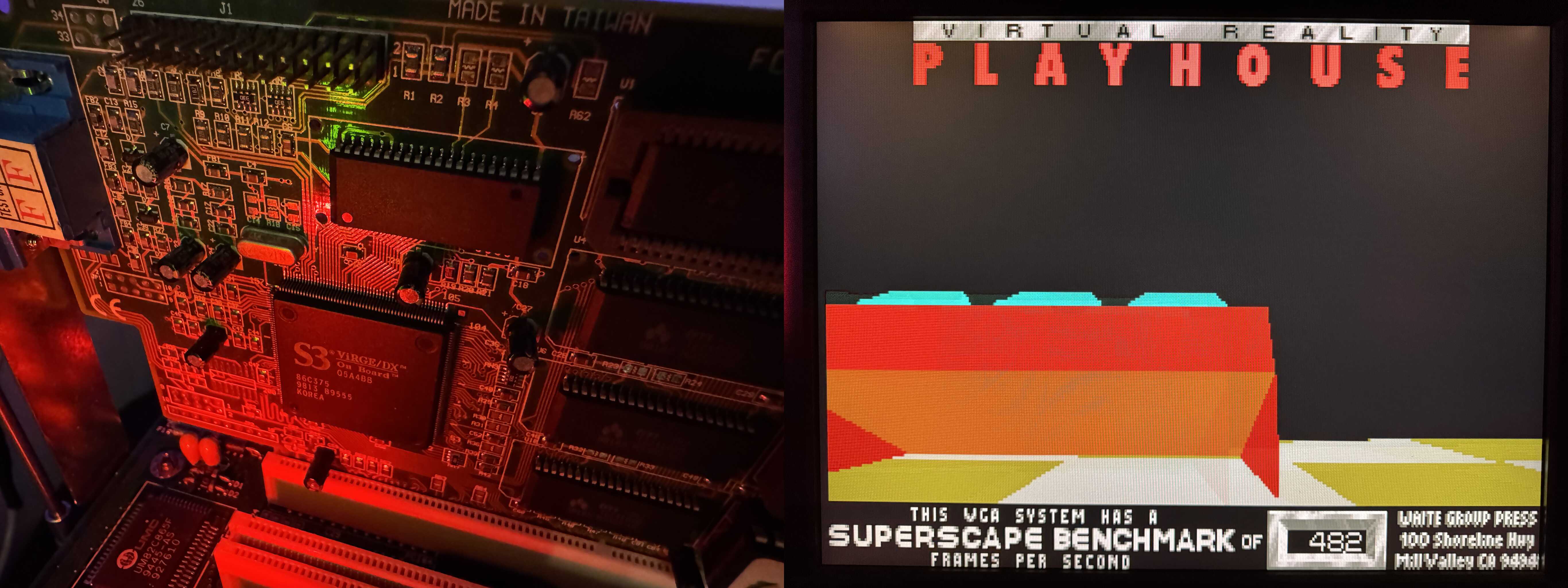
- Baseline: A 32-bit PCI S3 Virge/DX based card with 4MB RAM: A perfectly workable 48.2
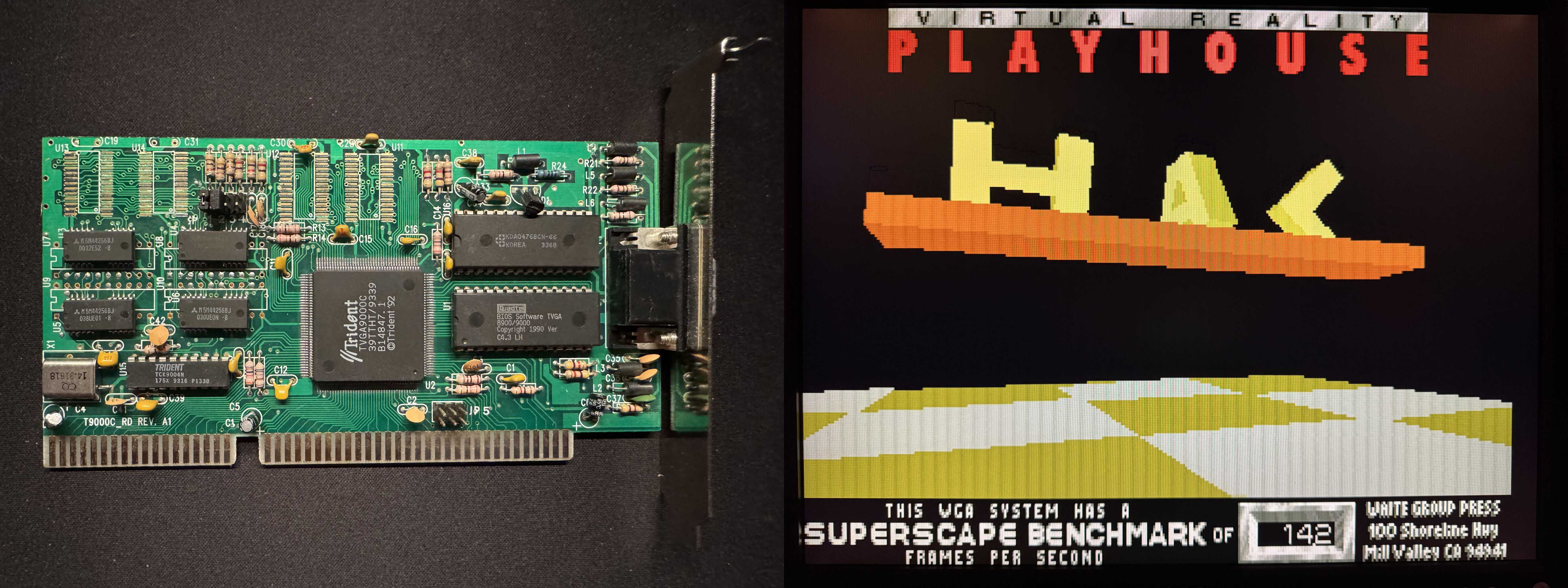
- The low-end Trident TVGA9000C with 512KB RAM (this is a real garbage card): A pretty shitty 14.2
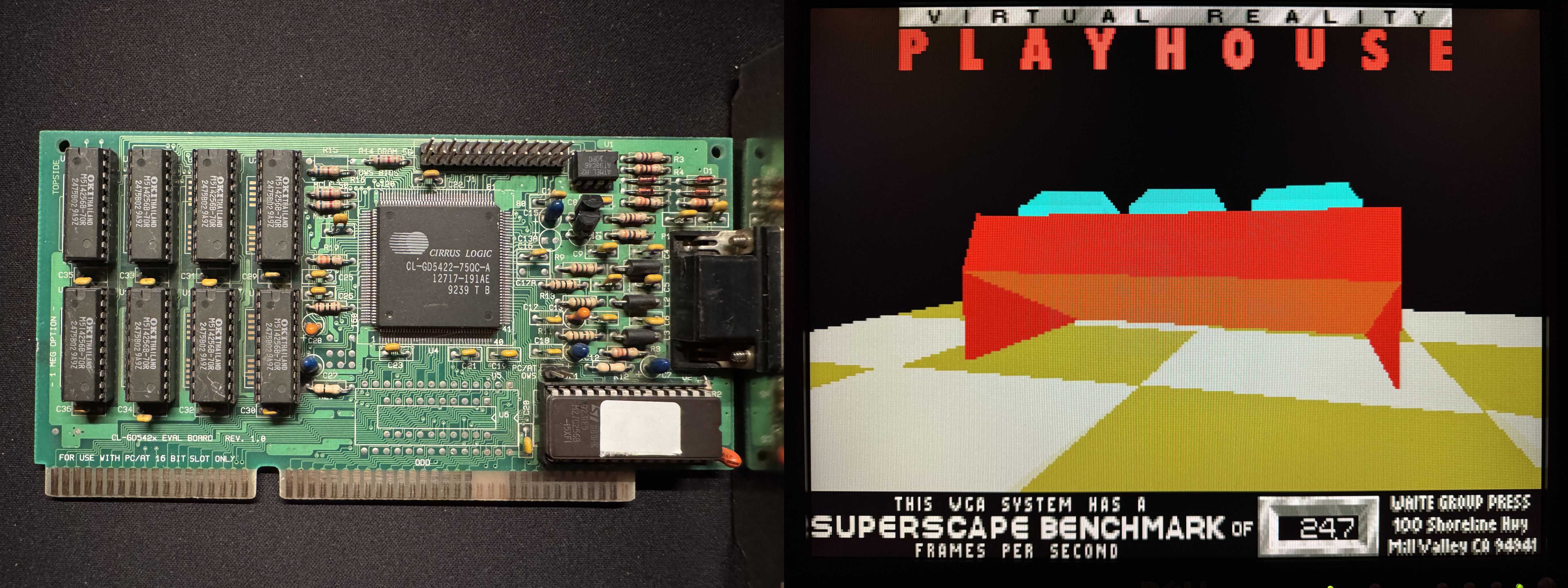
- The mid-range Cirrus Logic CL-GD-5422 with 1MB RAM (this is a decent card, know for compatibility but not necessarily speed): A barely bearable 24.7
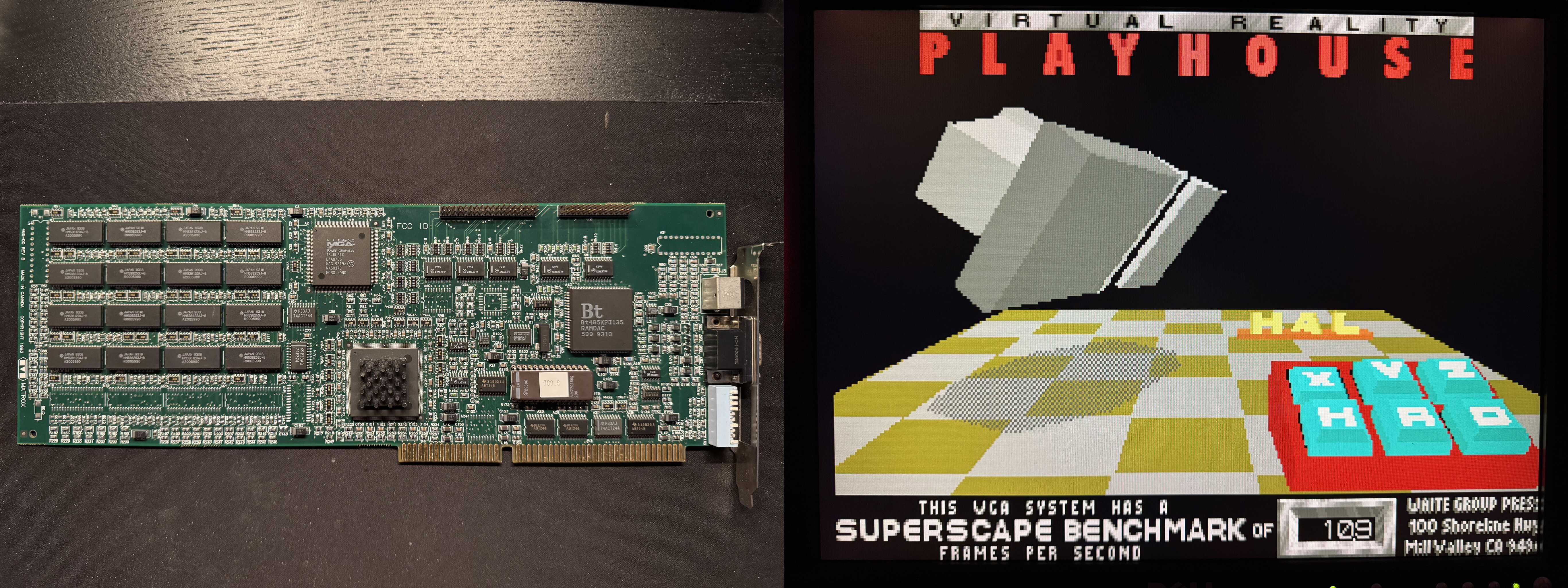
- And finally, the "star" of the show, the Matrox: A whopping 10.9!
I said it was atrocious, didn't I? But hey, I'm gonna use this one with #OS2 anyway, so who cares about DOS performance, right? ;)
#RetroComputing #Benchmarks #VGA #SlowVGA
Alt...
Montage: Close-up of the S3 card installed in the system, next to picture of the 3DBench result
Alt...
Montage: Picture of the Trident (a small ISA card) next to picture of the 3DBench result
Alt...
Montage: Picture of the Cirrus Logic (small ISA card) next to picture of the 3DBench result
Alt...
Montage: Picture of the Matrox (a very large full-length ISA card) next to picture of the 3DBench result
TL;DR: ISA Matrox cards are really, really slow in DOS.
I recently built an original Pentium 60MHz system, built on an ECS motherboard. Around the same time I received a "mystery" VGA card: A Matrox MGA Impression ISA card. And since most of my builds are "open builds" and therefore easily accessible, that machine got the pleasure of becoming the test bench for the Matrox.
As already revealed, the Matrox performs atrociously bad. So bad, in fact, that I had to test a couple other ISA cards to make sure it wasn't a system issue. I used my go-to benchmarking tool #3DBench from Phil's DOS Benchmark Pack. I really don't want to experience Doom with this card..
And without further ado, the contestants and their results in this spur-of-the-moment benchmark run:
- Baseline: A 32-bit PCI S3 Virge/DX based card with 4MB RAM: A perfectly workable 48.2
- The low-end Trident TVGA9000C with 512KB RAM (this is a real garbage card): A pretty shitty 14.2
- The mid-range Cirrus Logic CL-GD-5422 with 1MB RAM (this is a decent card, known for compatibility but not necessarily speed): A barely bearable 24.7
- And finally, the "star" of the show, the Matrox: A whopping 10.9!
I said it was atrocious, didn't I? But hey, I'm gonna use this one with #OS2 anyway, so who cares about DOS performance, right? ;)
#RetroComputing #Benchmarks #VGA #SlowVGA
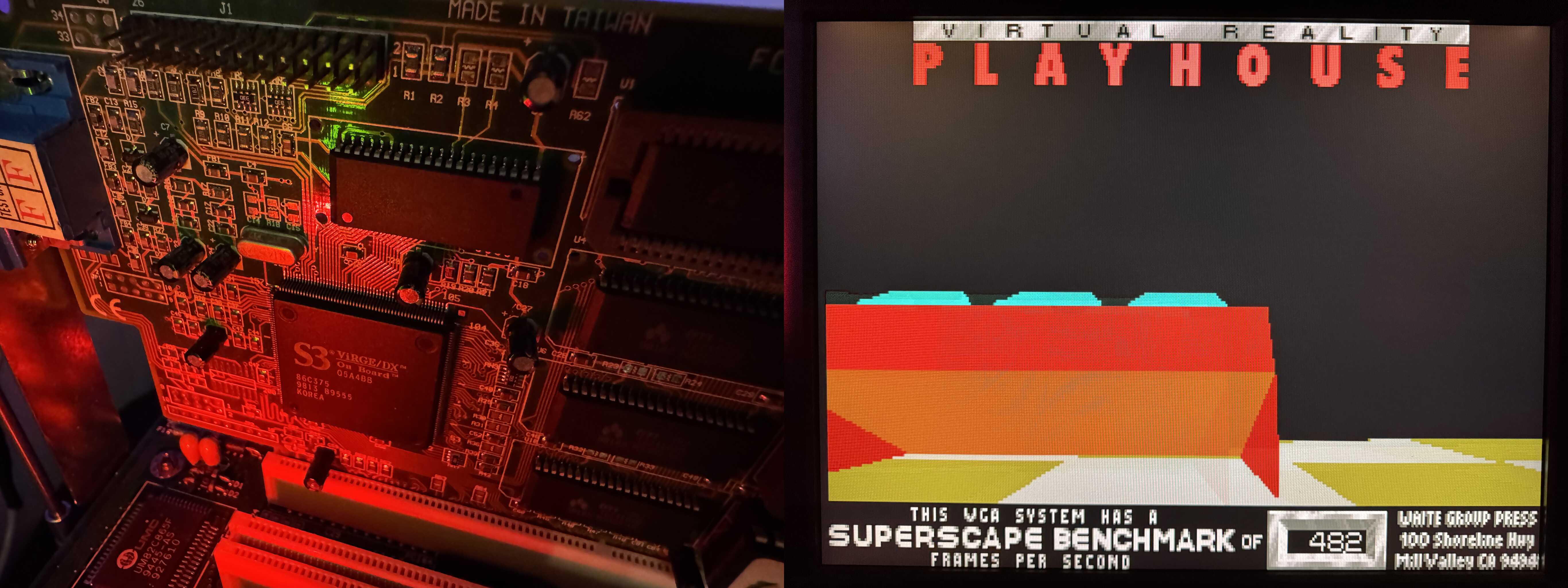
Alt...
Montage: Close-up of the S3 card installed in the system, next to picture of the 3DBench result
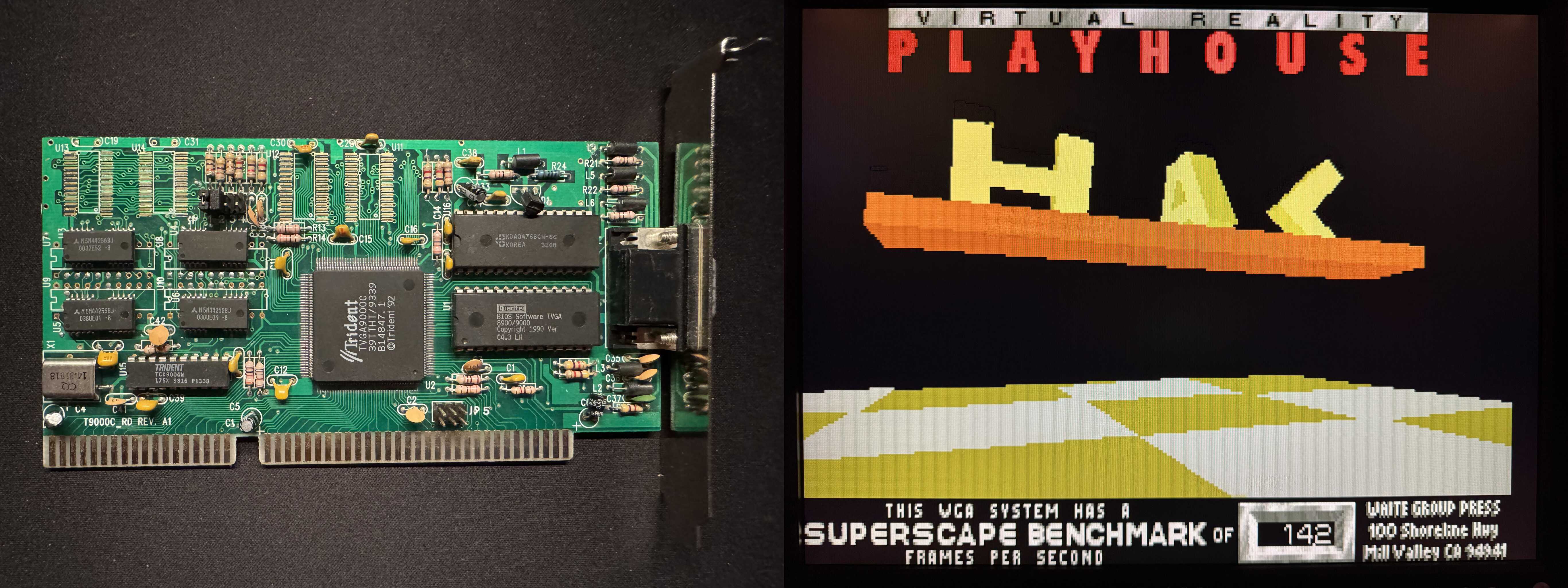
Alt...
Montage: Picture of the Trident (a small ISA card) next to picture of the 3DBench result
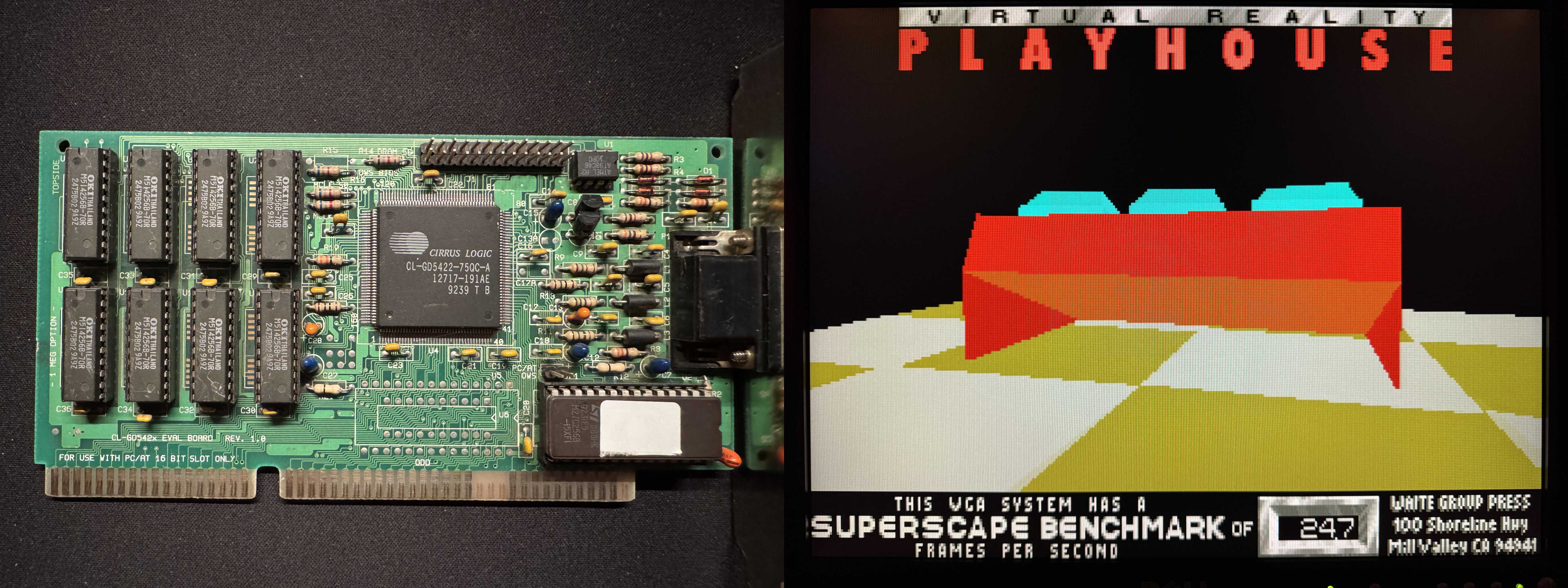
Alt...
Montage: Picture of the Cirrus Logic (small ISA card) next to picture of the 3DBench result
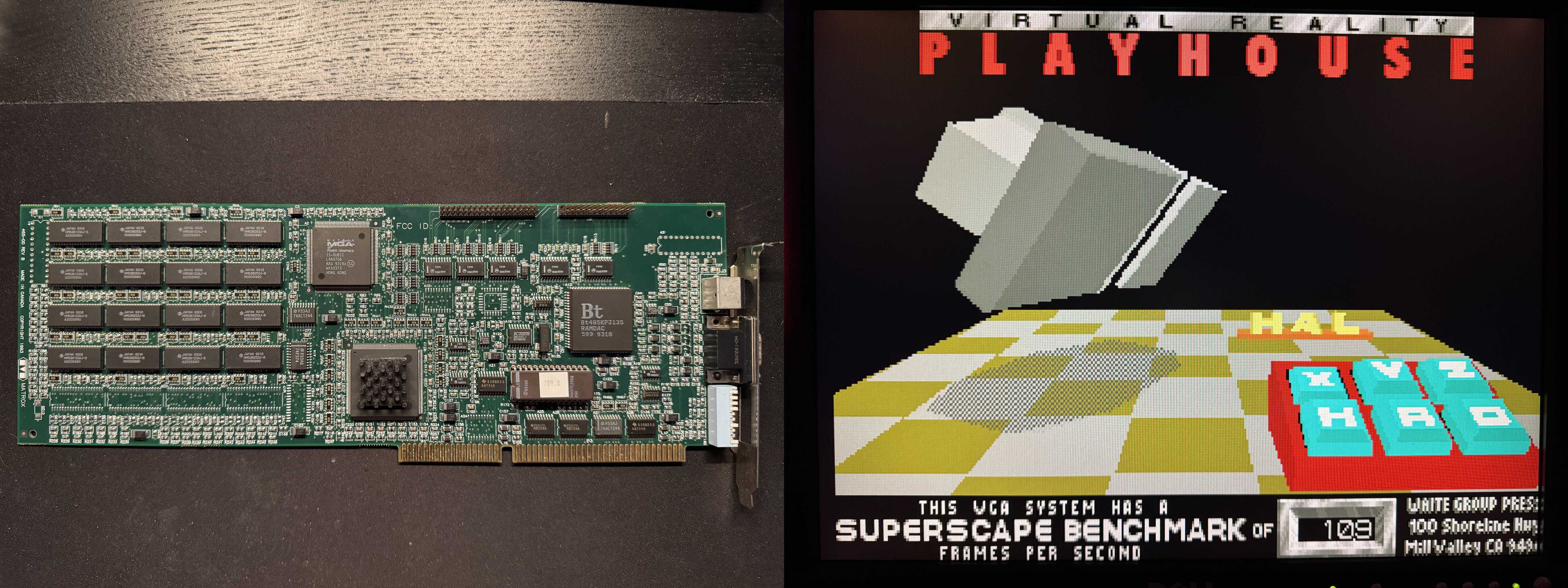
Alt...
Montage: Picture of the Matrox (a very large full-length ISA card) next to picture of the 3DBench result
The contenders: QuickView Pro version (dvpro), Digital Sound System 3.1 (dss) and MPXPlay 1.67 (mpx). The file: Astral Projection's "Bizarre Contact" from the album "Ten".
Enjoy these clips :D
I mean yeah, great, I get a proper BSD-4.4, 32-bit TCP/IP stack and tools. But it's taken me half a day. Getting the installation files over involved loading packet drivers and using #mTCP in a DOS session. Which works .. surprisingly well. But still .. FixPak43, reboot. MPTS, reboot. Netscape 2.02, reboot. Java 1.18, reboot. Feature Installer plug-in (no reboot). Then, finally, TCP/IP.
All this to have a machine to play with at #Blackvalley.
#OS2 #Retrocomputing #WhyAreYouReadingThis #GoDoSomethingUseful
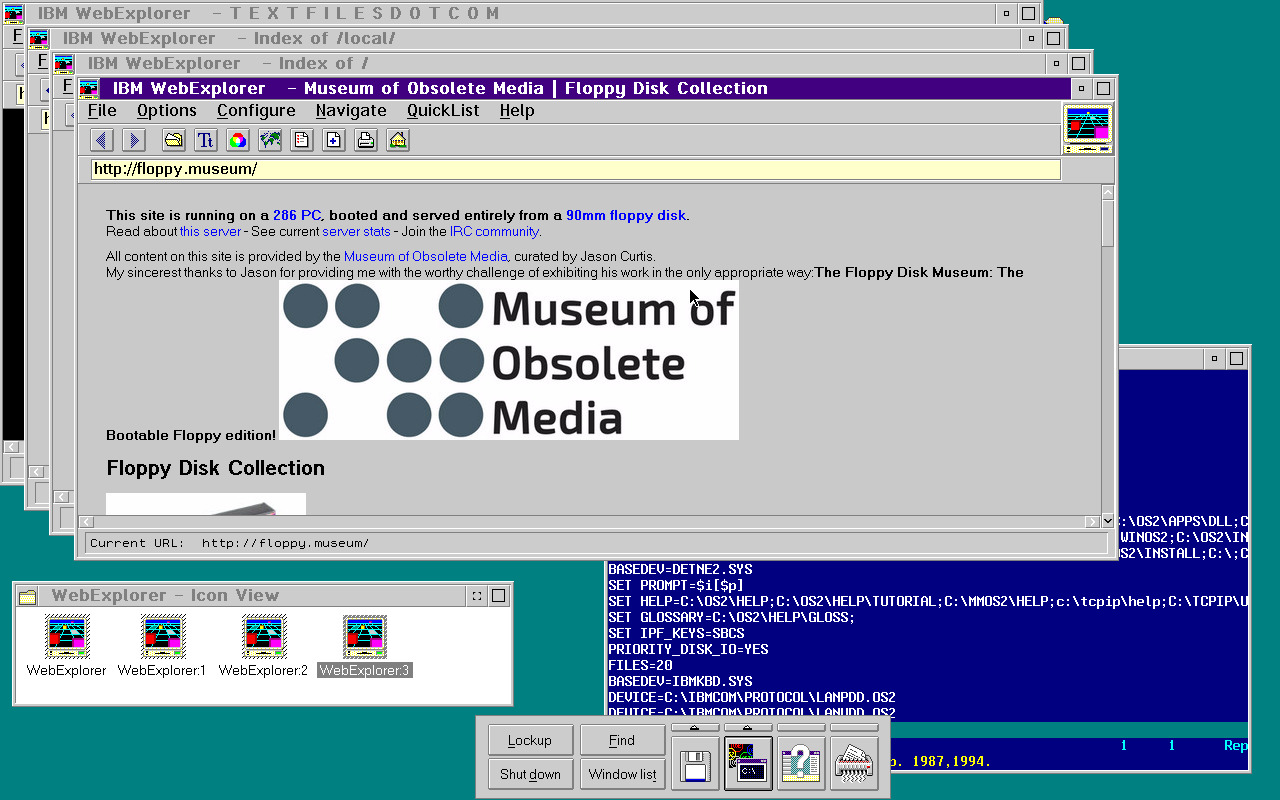
Turns out Netscape 2.02 is too easy, so in this picture is IBM WebExplorer v1.1h running on OS/2 Warp Connect. Using the magic "work area" feature of folders (mark a folder as a work area to have the OS manage objects within it as a kind of unit), I can open several windows at once. True multi-process browsing 😉
#retrocomputing #browsers #floppy #museum #html #BrowserWars
Alt...
OS/2 Warp Connect with four browser windows, a text mode editor editing config.sys, the parent "work area" folder and the launch pad.
Anyway, I've reduced my ambitions ever so slightly, and am now in the process of installing NetBSD (-CURRENT) on what is essentially a 386SX-class machine: 16-bit bus, 24-bit addressing, 16MB RAM, and nearly as unpleasantly slow as the 286 I had planned to use. It is however equipped with an IBM-branded 486SLC, which is from the Blue Lightning series. This one definitely has a full 486 instruction set. More hardware details will follow when I've completed the build (and installation).
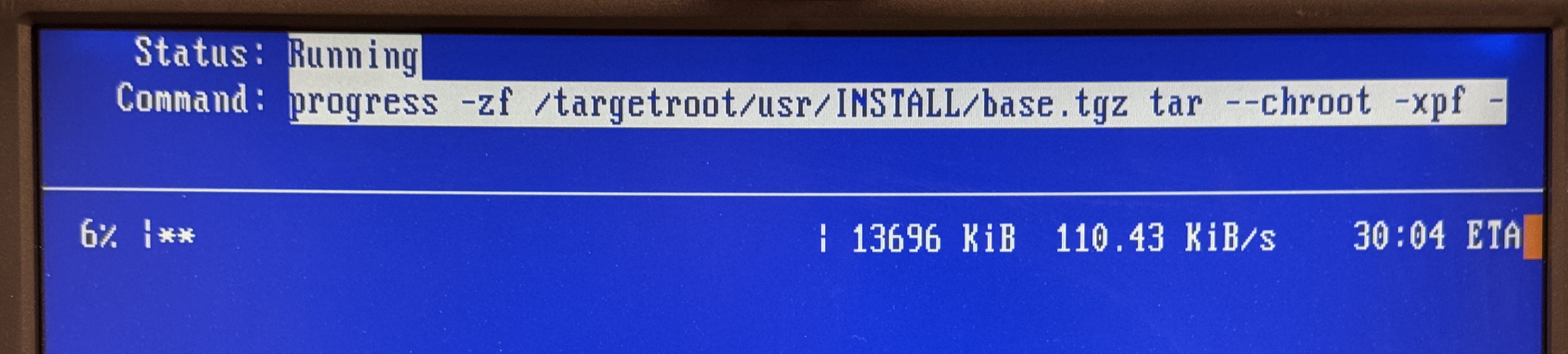
Meanwhile, the obligatory screenshot from the installer. Note the ETA for simply unpacking base.tgz ..
#RunBSD #Retrocomputing #Slowcomputing
Alt...
Screenshot from installer. Shows base.txz being extracted, at a speed of 110 KB/s. ETA given is about 30 minutes, which turned out to be relatively accurate.
Now I need to get it properly configured and tested with DOS, then I can move on to the next steps - which involve the CPU upgrade, and assuming that works, creating actual, physical floppies.
(In other news, the #snac instance on this poor Pentium Pro server is sweating hard whenever I post something. So let me know at @ltning@anduin.net if you have problems receiving/reading my posts. I've made some tweaks but it will be unavoidably detained for a while following each post, my apologies for that..)
Alt...
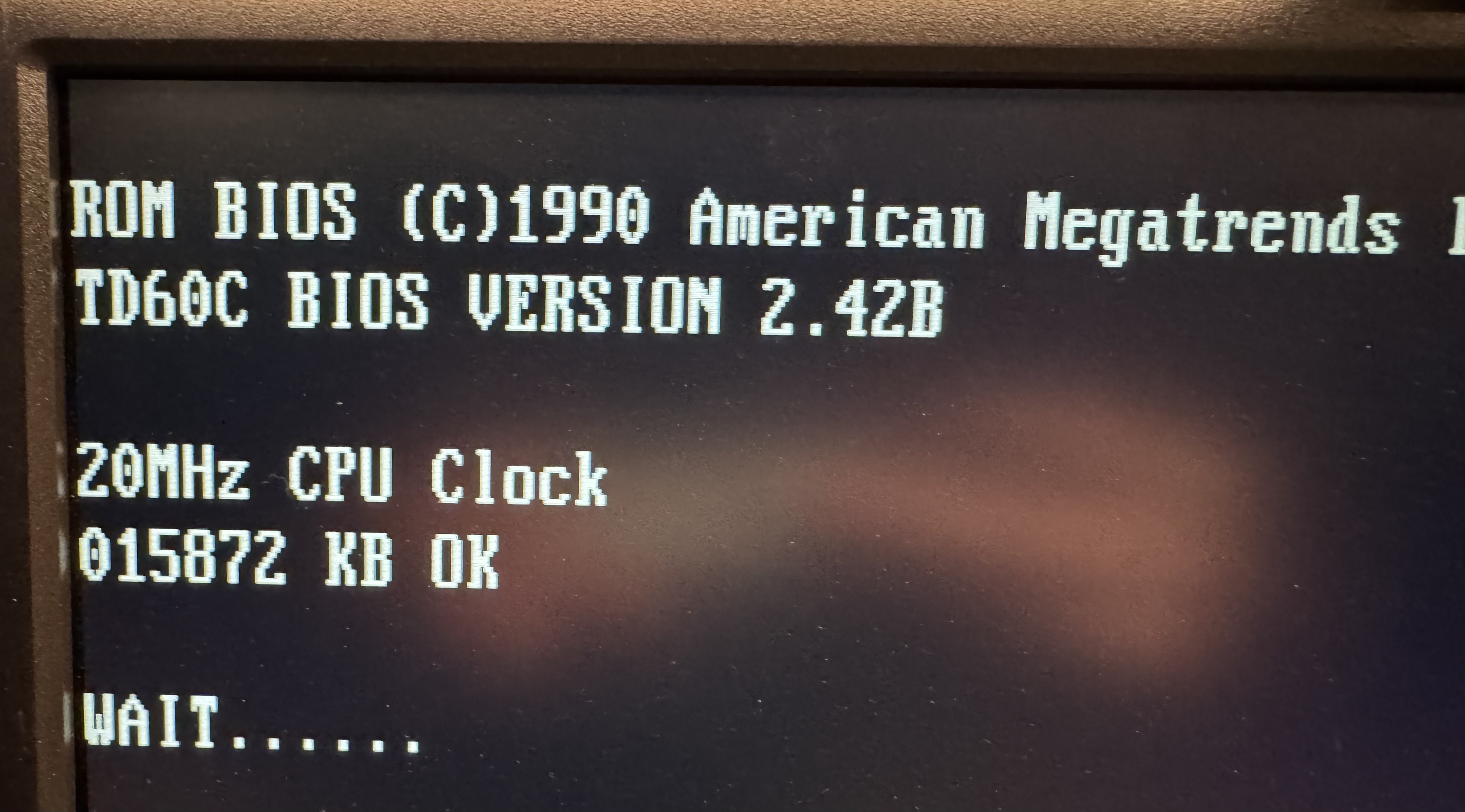
Picture of BIOS during boot. It's a 1990 American Megatrends BIOS, for the TD60C board, BIOS version 2.42B. It shows a 20MHz CPU clock and 15872 KB RAM tested OK.
The latest mTCP for DOS is available!
This version includes some changes to improve TCP reliability on long running (but idle) connections, black & white Sixel graphics in Telnet, a Telnet emulation bug fix, and other small fixes sprinkled around.
The source code to NetDrive (network attached storage) is also published now - enjoy reading an unholy mix of x86 assembly code talking to Golang over UDP!
Spread the word! Friends don't let friends run old code ...
#unix #runbsd #retrocomputing #486
Alt...
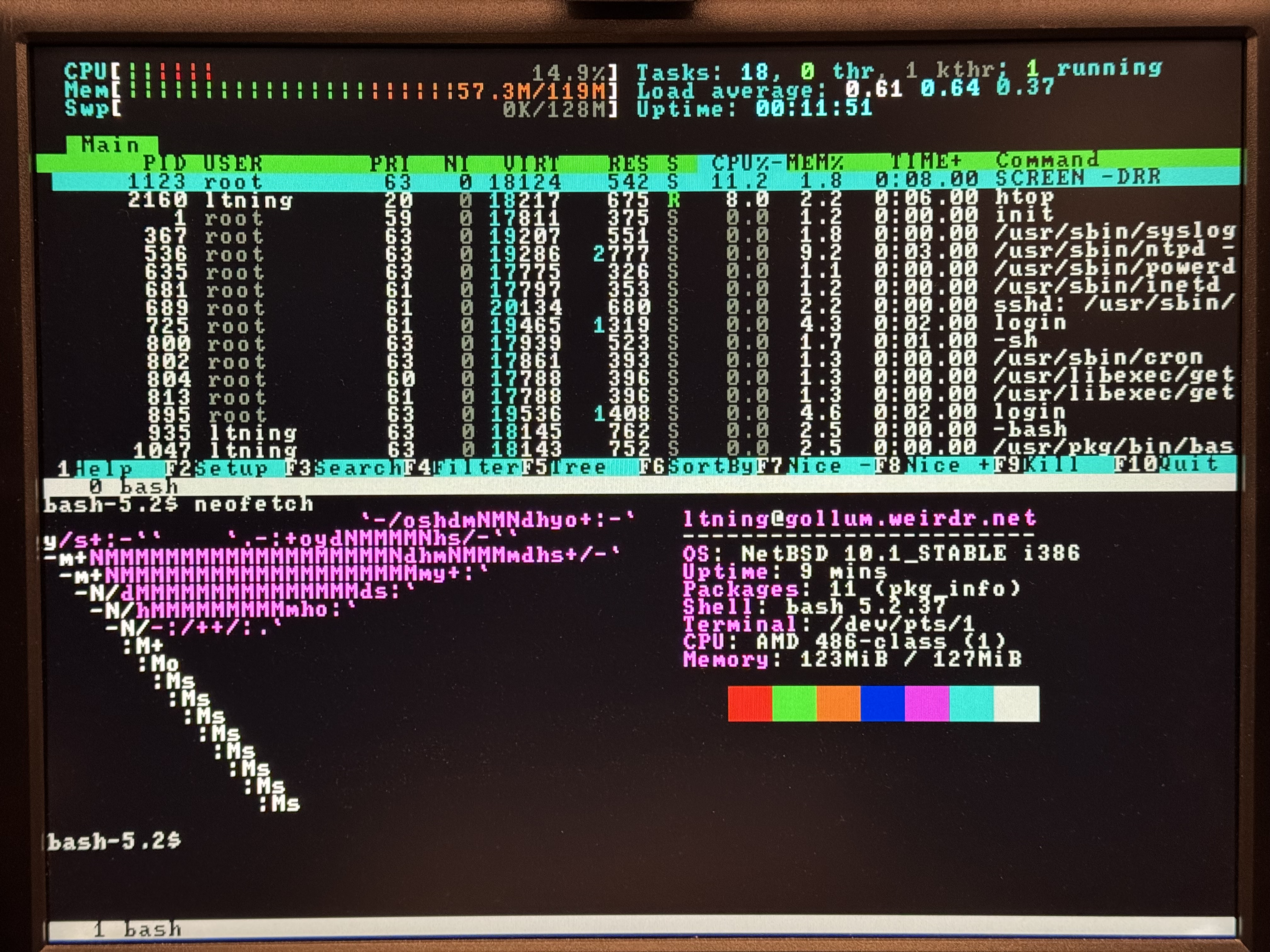
Console screenshot. Plaintext 80x50 mode, with screen(1) running htop(1) and neofetch(1), split horizontally.
(Read the alt text for more info)
#retrocomputing #moreram

Alt...
Kernel messages from NetBSD 10.1 on an AMD 486. Panics due to low memory after showing interesting sound cards detected. No correlation I'm sure - only including to brag.
I'll post each picture as a reply to this post, as snac doesn't like multiple attachments..
Enjoy. And wish the poor box luck serving this.
So..TLS aside, what is the most lightweight reverse proxy I can use instead of nginx in front of this thing? You know, in case I would like to move the instance from this beefy PPro to, say, a #486 or a #Nintendo Wii running #NetBSD? :)
secp* curves are orders of magnitude slower than X25519 and prime256v1. At least on a Pentium Pro/Pentium II-class CPU.#retrocomputing #forgetwhatyouknow
See also my main fediverse presence: @ltning@anduin.net
About this instance, at the time of writing:
- OS: #NetBSD 10
- Reverse proxy: nginx
- CPU: Dual Pentium Pro Overdrive, 333MHz
- RAM: 512MB EDO
- NIC: 3Com 100Mbit PCI NIC
- Storage: SATA 1.0 (CF and SSD)